Historical Correlation
 By LuxAlgoMar 14, 2024
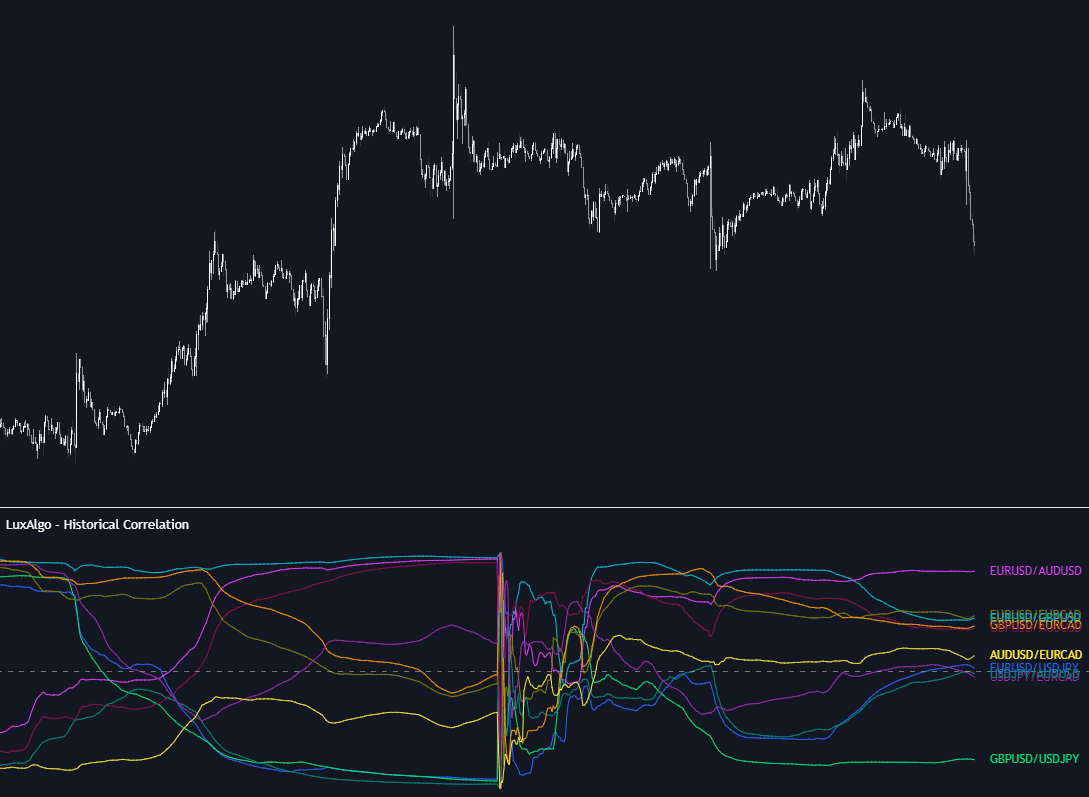
Historical Correlation tracks the correlation coefficient — the −1 to +1 measure of how faithfully two assets move in step — for up to 10 user-defined ticker pairs, starting from an anchor point you confirm by clicking a bar or picking a date in the settings. Two displays cover the two questions traders ask: LINES mode plots each pair's coefficient evolving through time, while HEATMAP mode renders the most recent values as a color-graded snapshot.
How to Trade the Historical Correlation?
- Readings near +1: the pair moves in sync — divergences between two tightly correlated assets are the raw material of pair trading.
- Readings near −1: the pair moves inversely, which is what a hedge is made of: long one, and the other tends to offset it.
- Readings near 0: independent movement — the property diversification depends on, and a warning when two supposedly different holdings sit near +1 instead.
Sector rotation work benefits from the same data, since watching how sector and market-wide correlations shift can reveal which groups are decoupling. The anchored design matters here: relationships drift, and the tool shows exactly how they have evolved since the point in time you care about.
Historical Correlation Settings
- Anchor Point: the bar the calculation starts from.
- Anchor Period: NONE, HOURLY, DAILY, WEEKLY, MONTHLY, QUARTERLY, or YEARLY — with NONE the calculation never resets; any other choice restarts it at each new period's first bar.
- Ticker Pairs (1-10): choose each pair, toggle its visibility, and color-code it.
- Drawing Mode: LINES for historical plots, HEATMAP for the current snapshot.
Frequently Asked Questions
Why do the correlation values restart partway through the chart?
That is the Anchor Period at work. With MONTHLY selected, for example, coefficients recalculate from the first bar of each month, so every month is judged on its own relationships rather than inheriting stale data.
How many assets can I compare at once?
Up to 10 pairs simultaneously, each independently toggled and colored. If you would rather see how a whole basket organizes itself into groups, Correlation Clusters approaches the same statistic from that angle.
Do I need a subscription to use it?
No. Historical Correlation is one of the free tools on the LuxAlgo Library, available directly from this page.
Free indicator
Get free access to this indicator on the platforms below.

The Library is free. Quant makes it yours.
Pull any concept or indicator into Quant: rebuild it, retune it, or turn it into a backtested strategy of your own.