The trading journal, built into Vela.
Journal lives in Vela, our next-generation charting platform, beside the chart you trade on: a P&L calendar, the stats that matter, and a review for every trade. Connect a broker, import a file or trade on paper, and your fills arrive on their own.
Free on every plan. No credit card required.
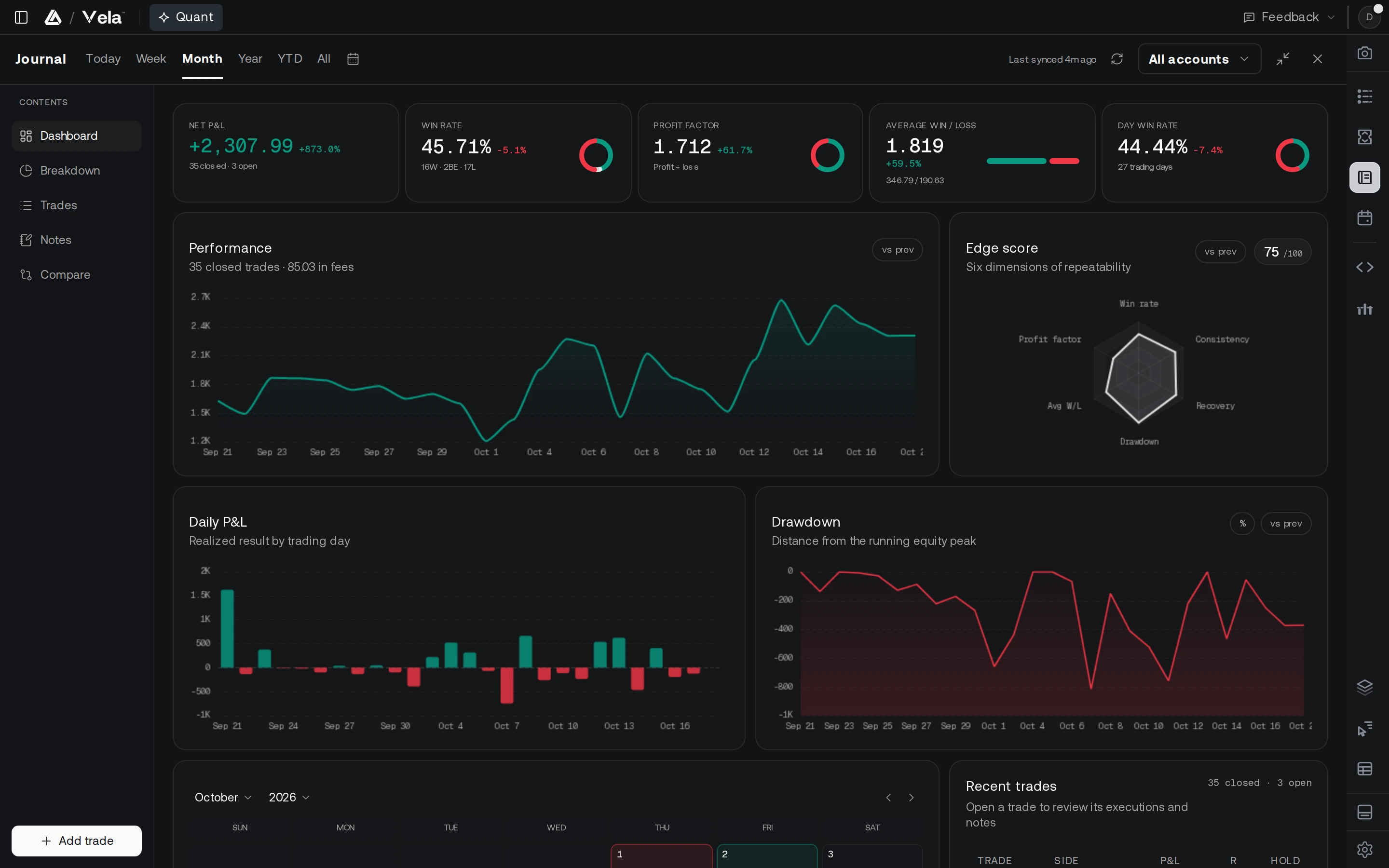
Your month, at a glance.
Net P&L, win rate, profit factor, average win and loss, and day win rate, for any range you choose.
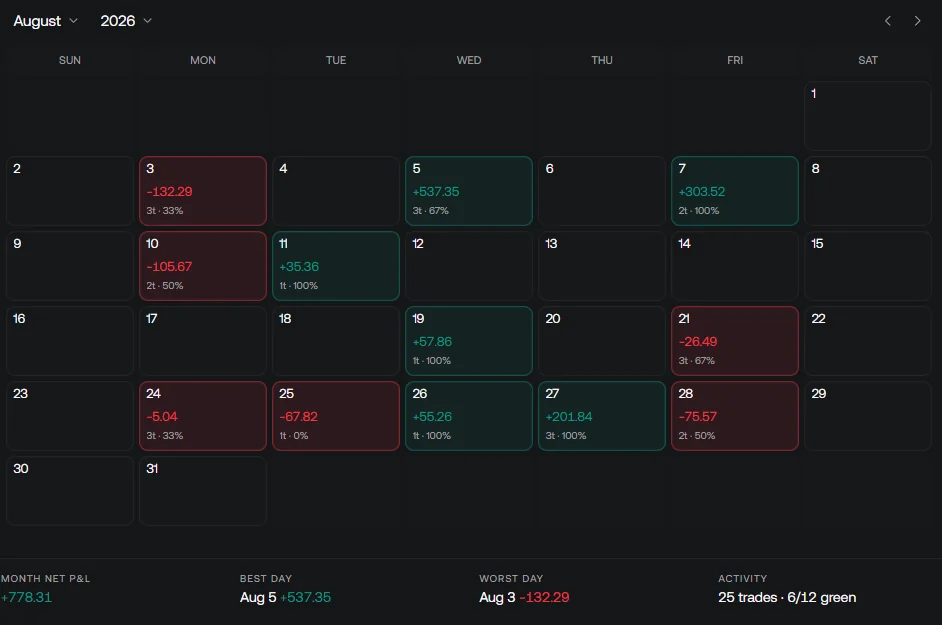
Below them sit your equity curve, daily P&L, drawdown from the running peak, and an Edge Score that rates six dimensions of repeatability. The P&L calendar colors every day by its result, with the trade count and win rate in each cell, and any day opens to its trades and notes.
Find the pattern in your P&L.
Slice your closed trades every way that matters, put two performances side by side, and keep what you learn where you will see it again.
Breakdowns.
Weekday, time of day, hold time, symbol, side, position size, tag and rating, each split by net P&L. Plain-language reads flag the weekday that costs you, the side that bleeds and your best market.
Compare.
Two accounts side by side, or this period against the one before it: equity curves and Edge Score profiles overlaid, then every metric head to head.
Day notes.
Every trading day has its own page: the day’s stats, its trades and your notes. Type a note, or dictate it and let it transcribe.
Every trade, reviewed.
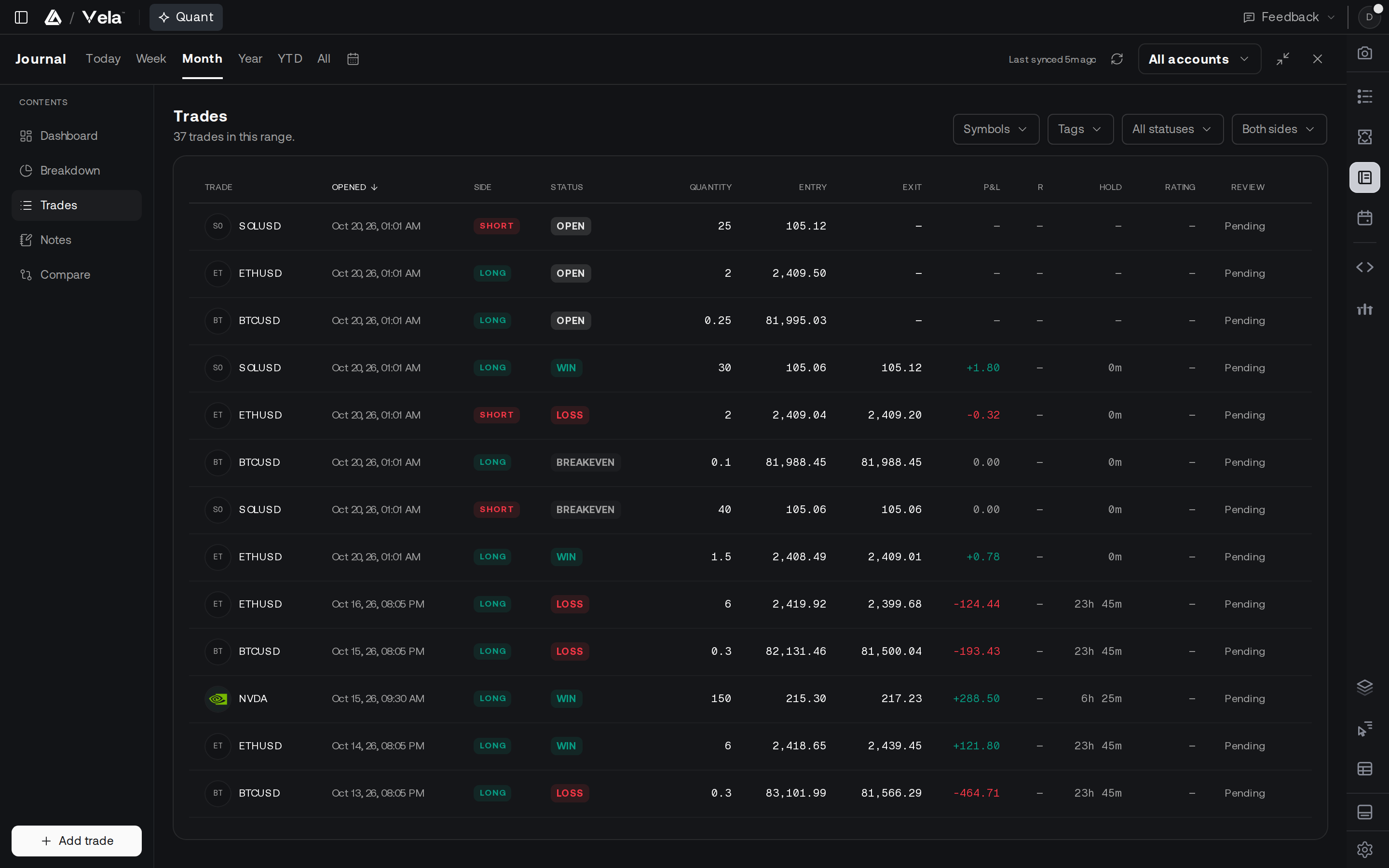
Your fills become round-trip trades on their own, with entry, exit, hold time and P&L. Open one to see every execution and the running P&L across its exits, then review it: tags, mistakes, a rating, notes, and a stop and target that turn its result into R. Mark it reviewed when the debrief is done.
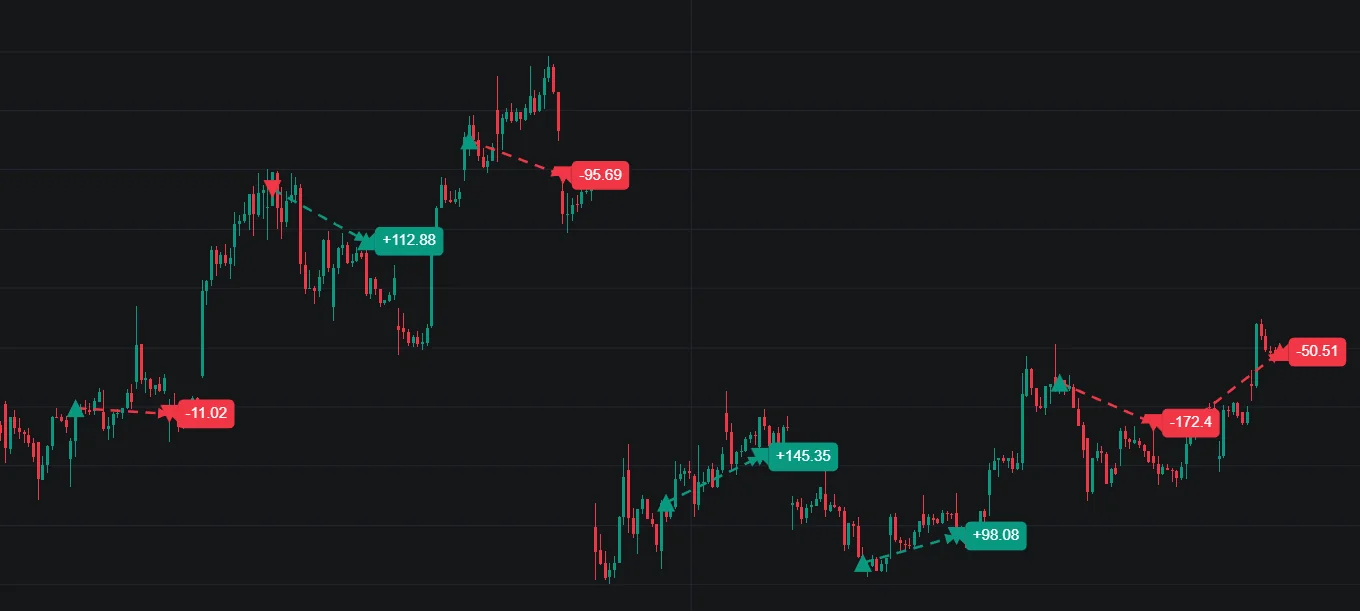
Your trades, on your chart.
With Journal open, every trade on the symbol you are charting is drawn where it happened: entry and exit arrows joined by a line that carries its net P&L. Close Journal and the chart is clean again.
Your fills find their own way in.
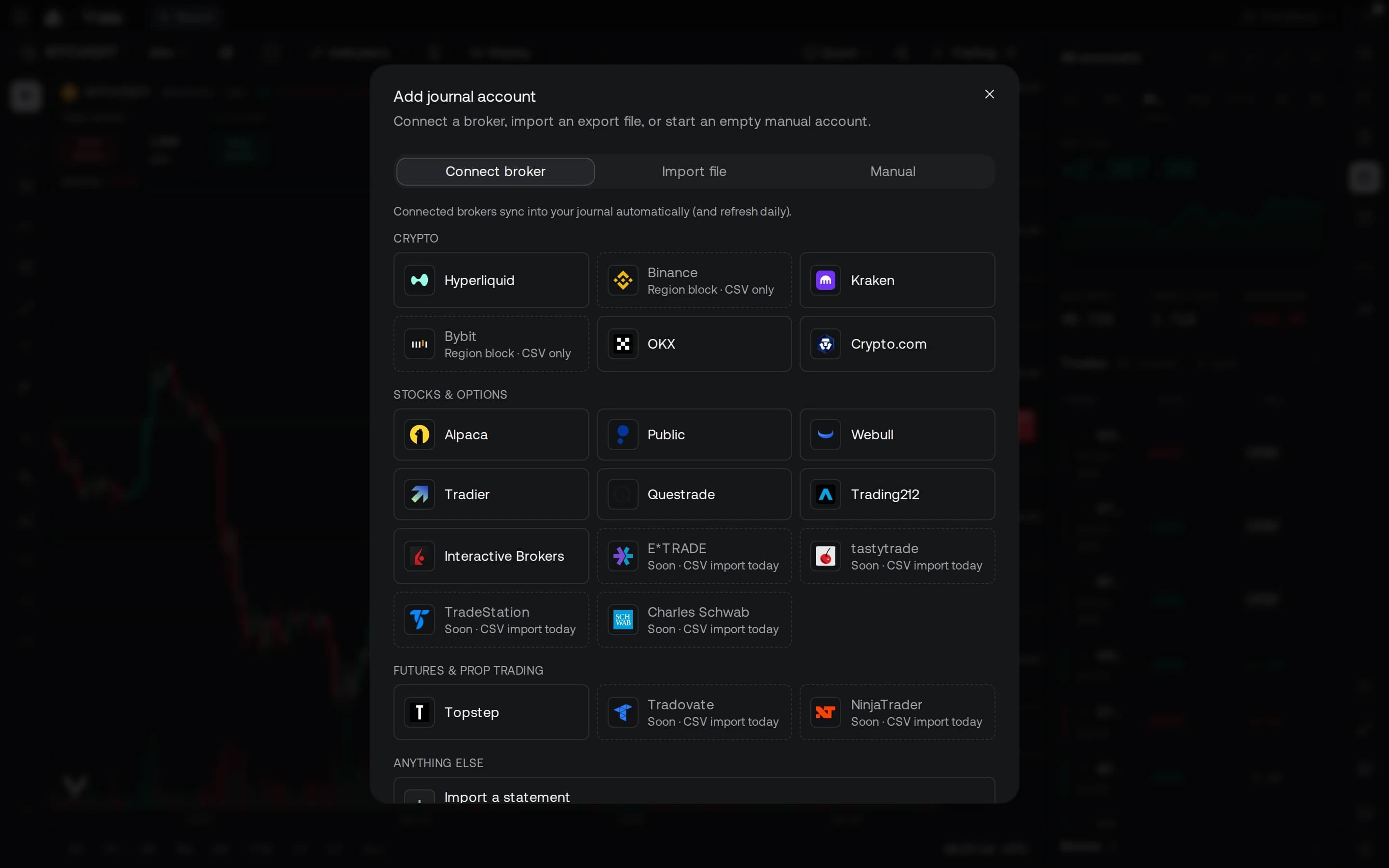
Connect a broker with read-only access and its trades sync on their own. Drop in an export from another platform or journal and the format is detected for you. Paper trades land automatically, and anything else you can log by hand.
Read-only broker sync
- Hyperliquid
- Kraken
- OKX
- Crypto.com
- Alpaca
- Public
- Webull
- Tradier
- Questrade
- Trading212
- Interactive Brokers (Flex)
- Topstep
Binance and Bybit trades import by CSV.
Open source
Built on an open engine.
Journal runs on the same engine as Trade Journal, our open-source trade journal: broker sync, statement import, a P&L calendar and deep analytics, MIT-licensed and self-hosted, with your journal in a local SQLite database. Run it with Node 22+ and pnpm, or with Docker. It is an early release, so its APIs and schema may still move before 1.0.
Working with an AI agent? The LuxAlgo MCP gives Claude, ChatGPT, Cursor or any MCP client thirteen journal tools that read and write your journal in LuxAlgo, once you sign in.
$ git clone https://github.com/LuxAlgo/trade-journal$ cd trade-journal && pnpm install && pnpm dev# or, with Docker: docker compose up -d
Questions, answered.
Yes. Journal is included on every plan, Free too. Sign in to Vela and open it from the rail beside the chart. No credit card required.
Start your journal.
Open Vela, sign in, and Journal is one click from the chart. Free on every plan.
Journal reports and analyzes what your broker, your imports and your paper account record. Nothing it computes is investment advice, and no metric predicts future results. Verify important numbers against your broker’s own statements.